MonoCode: A GUI for Your Coding Agents
MonoCode is a desktop app that puts a GUI on top of the coding agent CLIs already installed on your machine.
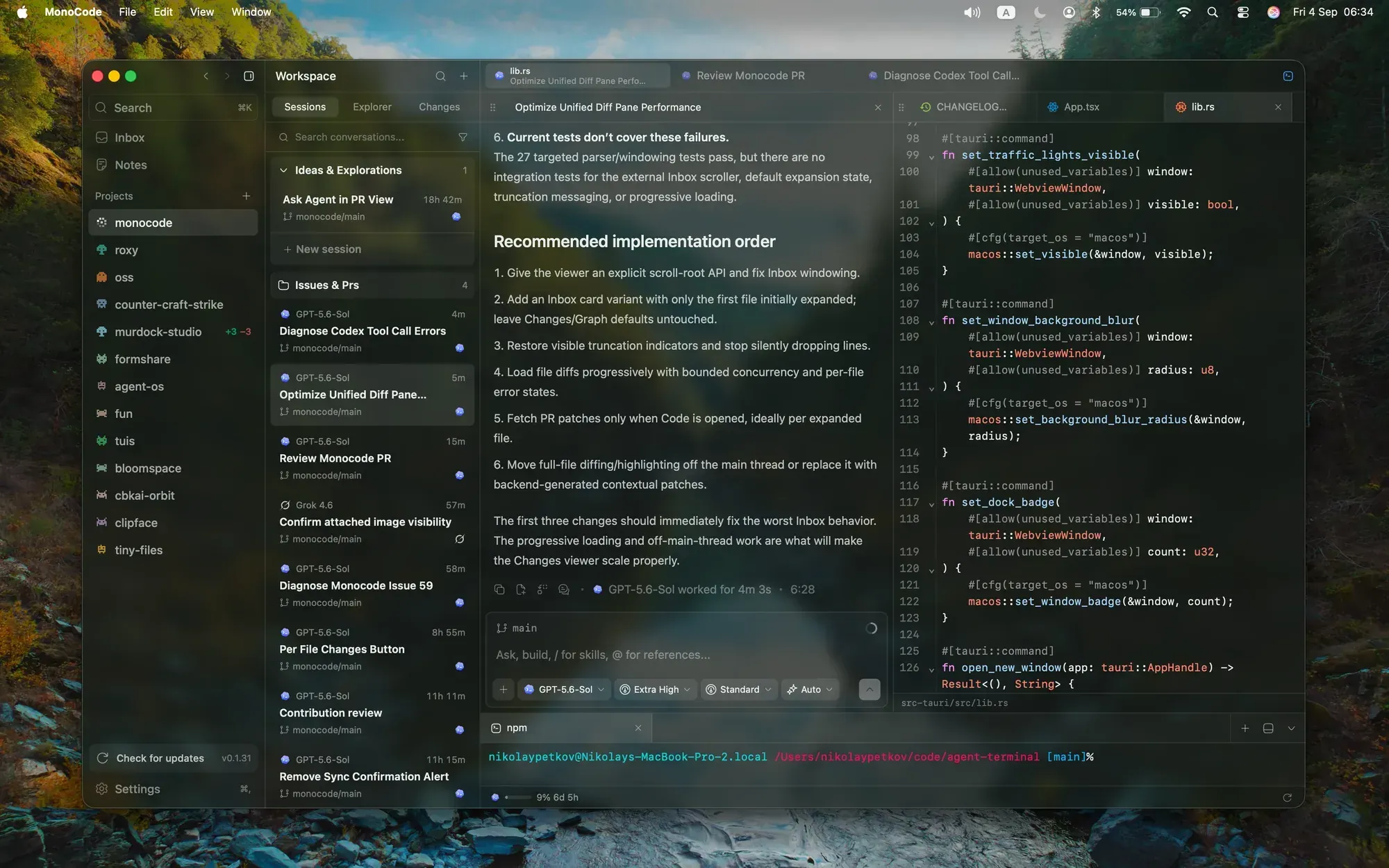
The pitch is simple: it does not sell tokens. If a CLI is installed and logged in, MonoCode can run it. That currently covers Claude Code, Codex, Cursor, Grok Build, OpenCode, Antigravity, Pi, omp, fx, and Hermes Agent. Tabs are sessions, and the composer is just the input.
Why it’s interesting
If you bounce between several agents or run parallel sessions, a consistent window beats juggling terminal tabs. Each project gets its sessions in a sidebar, with folders, worktrees, and file changes in one place.
The fun feature is /operator: typing it at the start of a message gives the agent access to MonoCode itself, so it can start new sessions, split panes, read notes, or organize your session folders. It’s a neat bit of self-orchestration.
There are also experimental remote sessions — run agents on an always-on Mac, Linux, or Windows box and connect from the desktop.
Install (macOS/Linux/Windows)
Set up at least one provider CLI first (e.g. claude auth login or opencode auth login), then grab the installer:
- macOS: MonoCode.dmg (Apple Silicon) or
MonoCode_x64.dmg(Intel) - Linux:
.deb, AppImage, or.rpmfrom GitHub Releases - Windows: NSIS installer from the same release page
Verdict
MIT licensed, ~2.4k stars, built with Tauri (TypeScript + Rust). It’s early — the README says to expect bugs — but for a free shell around tools you already pay for, it’s worth a look.
- Site: usemono.dev
- Repo: github.com/hardbeat920/monocode